Integrate AI with Unifi and ONVIF Cameras for Unmatched Site Security – AI Port

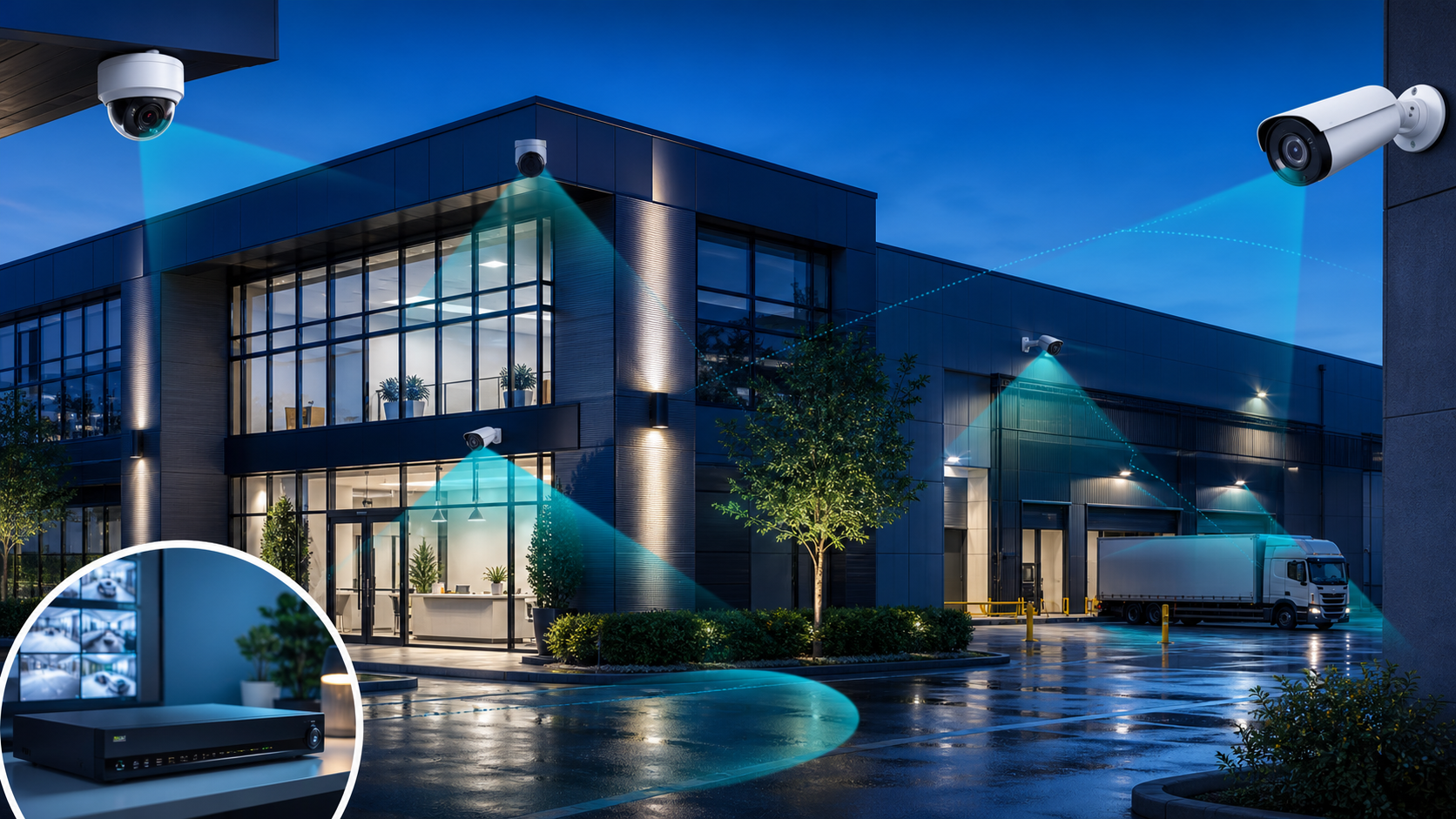
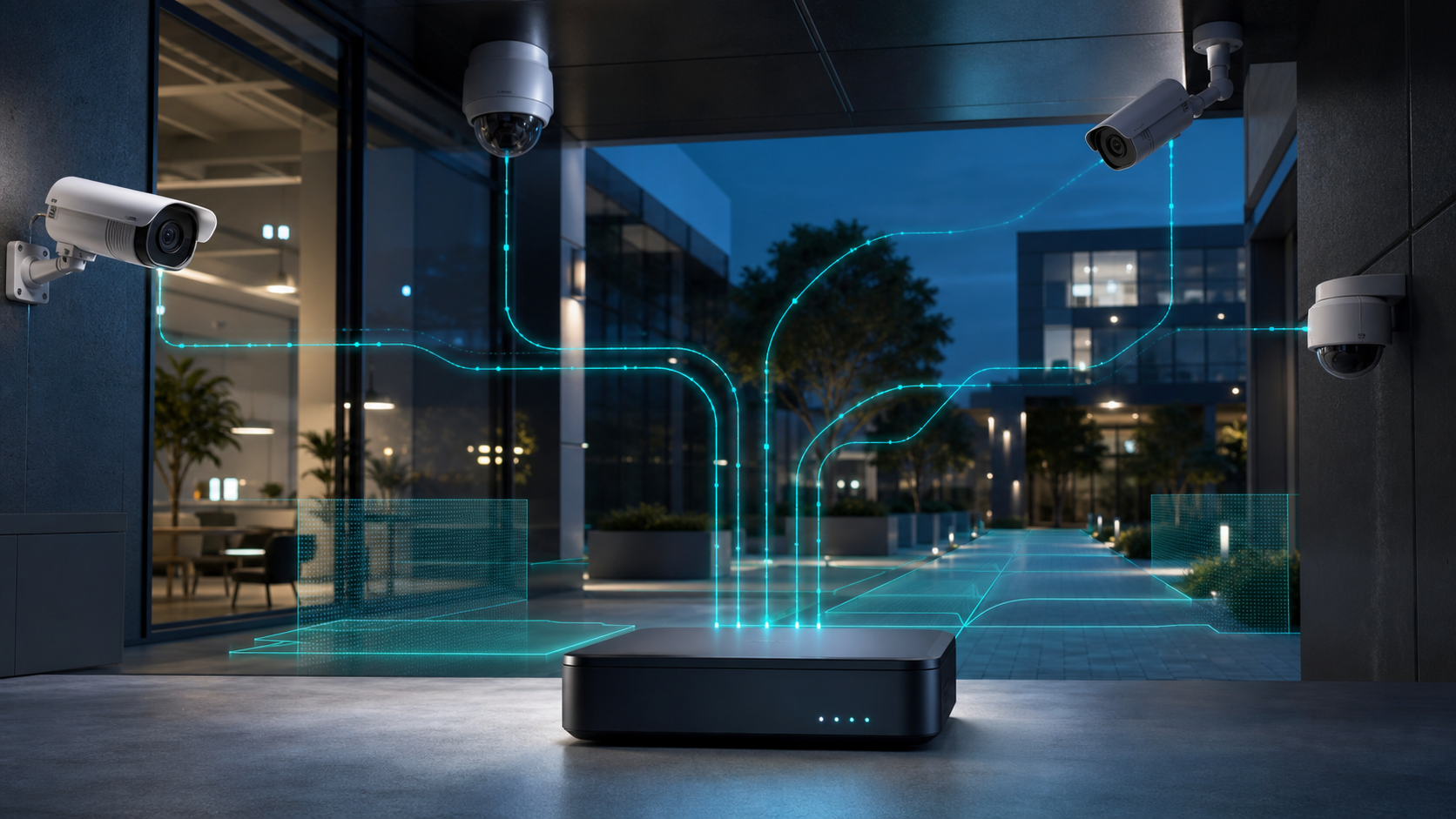
Professional business security cameras connected to an AI analytics gateway

Introduction to the Unifi AI Port

In today’s rapidly evolving technological landscape, safeguarding business assets with cutting-edge surveillance solutions has become more crucial than ever. The integration of artificial intelligence with Unifi and ONVIF cameras marks a significant advancement in site security, offering unparalleled real-time monitoring and threat detection capabilities. With the new Unifi AI Port, businesses can seamlessly enhance their existing security systems, providing a robust layer of protection that is both intelligent and adaptable. This innovative technology not only supports Unifi cameras but also extends its compatibility to ONVIF third-party cameras, ensuring flexible and comprehensive coverage. By harnessing the power of AI, organisations can transform their safety protocols and ensure peace of mind.
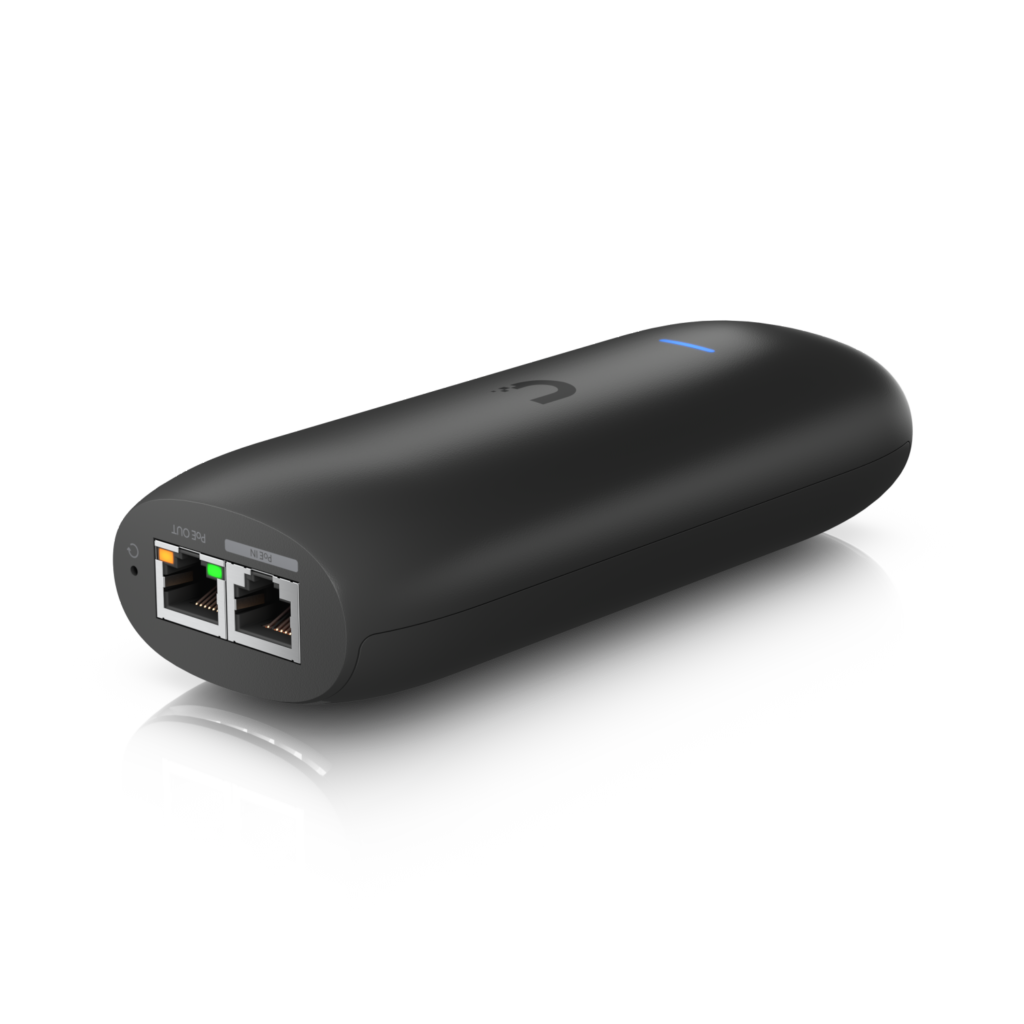
AI Port

Specifications and Power Usage Options for the AI Port

The Unifi AI Port boasts impressive specifications:

  • Processor: Quad-core for high performance
  • Memory: 2GB DDR4
  • Storage: Comes with an SD card option for local recording, offering convenient on-device storage
  • Power Options: Supports PoE (Power over Ethernet) and a standard 12V DC power adapter
  • Connectivity: 1 Gigabit Ethernet port for high-speed network integration

AI Port Seamless Integration with Cameras

Direct Connection and Deployment

One of the standout features of the Unifi AI Port is its flexible deployment options. The AI Port can be deployed either by connecting directly to the network and to a camera, or by adding it to the network as a standalone device. You can then link the AI Port to the camera of your choice via the Unifi Console. This setup provides enhanced flexibility, allowing you to move the AI Port’s functionality from one camera to another as needed, making it a versatile tool for dynamic security environments.

AI Port Compatibility

The UniFi AI Port is a versatile tool designed to enhance the functionality of various camera systems by adding AI-driven detection capabilities. Here’s how it integrates with different camera types:

  • Non-AI UniFi Cameras
    • The AI Port extends AI capabilities to older UniFi cameras that do not have built-in AI features. This includes models like the UniFi G3 and G4 series that were not originally equipped with advanced AI processing.
    • By connecting these cameras to the AI Port, users can gain access to enhanced detection features such as person and vehicle detection, without needing to upgrade to newer, AI-enabled cameras
  • Third-Party Cameras
    • The AI Port supports third-party cameras through the ONVIF protocol, a widely-used standard for network cameras and video surveillance systems.
    • This compatibility allows users to integrate a broad range of non-UniFi cameras into their UniFi Protect ecosystem, enabling AI features like motion detection and object recognition on cameras from different manufacturers.
  • UniFi AI Camera Range
    • Cameras in the UniFi AI series, such as the AI Bullet, AI Dome, and AI 360, already have built-in AI capabilities. These models are designed to operate independently with advanced AI features directly integrated into the camera hardware.
    • The AI Port is not needed for these AI-enabled cameras, as they are already equipped with the necessary processing power and software to handle AI-based tasks like person detection, vehicle detection, and license plate recognition.
    • It’s important to verify camera compatibility before integrating the AI Port into your system to ensure optimal performance and avoid unnecessary hardware.

Current and Future Capabilities

  • Current Support: The AI Port currently supports either 1 Unifi camera or 1 ONVIF camera.
  • Possible Future Plans: Upcoming updates are expected to enable support for:
    • 5 x Unifi cameras
    • 3 x HD ONVIF cameras
    • 2 x 2K ONVIF cameras

Rack Option for Scalability

Unifi is planning to release a rack option that can accommodate up to 6 AI Ports, making it an ideal solution for larger setups requiring multiple ports.


Unifi AI Detection Types

UniFi AI technology leverages advanced artificial intelligence to provide a wide range of detection capabilities, enhancing security and monitoring systems. These features are commonly used across various scenarios to deliver accurate and actionable insights, minimizing false positives and improving overall efficiency. The key detection types include:

  • Person Detection: Identifies human presence in the camera’s view, ideal for distinguishing human activity from other movements.
  • Vehicle Detection: Detects and tracks vehicles, making it perfect for monitoring driveways and parking lots.
  • License Plate Recognition: Recognizes and records vehicle license plates for enhanced security and access management.
  • Intrusion Detection: Alerts when unauthorized entry is detected in designated areas, enhancing perimeter security.
  • Motion Tracking: Monitors and records movement, ensuring all activity is captured and analyzed in real-time.

Conclusion

The UniFi AI Port is a versatile and powerful addition to any security setup, designed to elevate the functionality of your surveillance system. It serves as a bridge, bringing advanced AI-driven features to both UniFi and ONVIF-compatible cameras, making it an invaluable tool for diverse security applications.

Key Benefits:

  • Enhanced AI Capabilities: The AI Port adds sophisticated detection features such as person detection, vehicle recognition, and motion tracking to cameras that lack built-in AI processing, significantly upgrading their functionality.
  • Seamless Integration: Whether you’re deploying UniFi cameras or third-party models using the ONVIF protocol, the AI Port ensures smooth and efficient integration into the UniFi Protect ecosystem, enhancing overall system coherence and usability.
  • Scalability: Suitable for both small and large-scale installations, the AI Port is designed to adapt to various security needs, whether it’s a single-site setup or a multi-location deployment. Its ability to support multiple cameras simultaneously makes it ideal for expanding surveillance networks without needing extensive hardware upgrades.

To learn more about how the Unifi AI Port can revolutionise your organisation’s security infrastructure, we invite you to reach out to us. Our team of experts is ready to provide detailed insights and tailored advice to ensure your business maximises the benefits of this advanced technology. Whether you’re looking to upgrade existing systems or install new surveillance solutions, we offer comprehensive support to meet your specific needs.

For more detailed information, or to schedule a consultation, please contact us at 0330 301 0500 or email sales@msp247.co.uk. We are committed to providing you with the best security solutions and support, ensuring your peace of mind and the safety of your assets.
Mobile Network Future-Proofing Your Business with 4G/5G: What SME’s Need to Know about Mobile Networks.

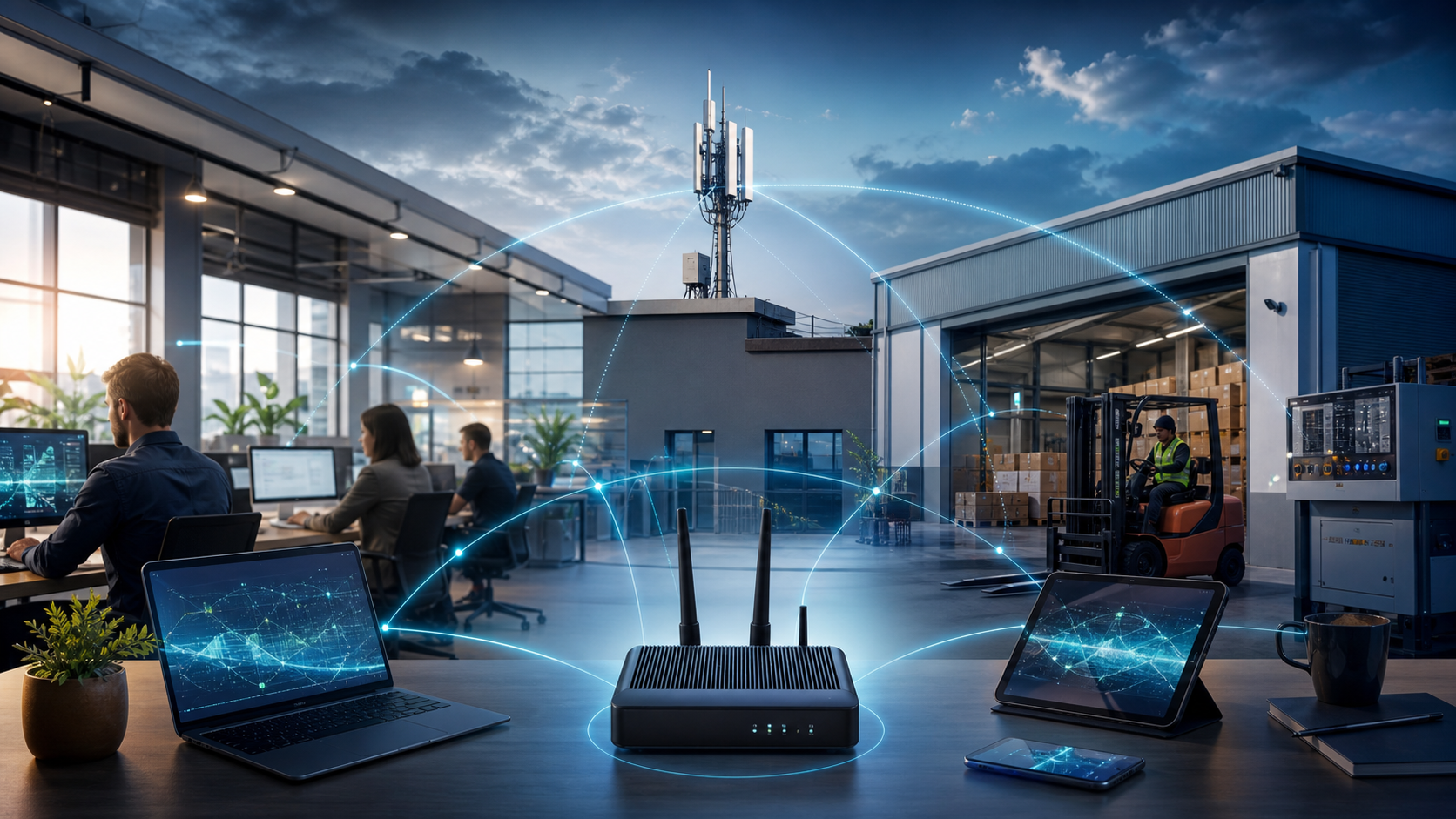
Office and warehouse connected through resilient business 4G and 5G broadband

In today’s fast-paced digital landscape, staying ahead of the curve is paramount for small to medium enterprises (SMEs) aiming to thrive. With the advent of 4G and 5G technologies, businesses now have access to mobile networks offering unprecedented speeds and reliability. Compared to a decade ago, the coverage and capabilities of these networks have expanded significantly, providing SMEs with robust connectivity solutions that were once unimaginable. Moreover, the choice between external and indoor antennas can greatly impact the quality of your mobile network, with external options often enhancing signal strength and coverage.

Embracing the Power of 4G/5G

Evolution of Mobile Networks

Over the past decade, mobile networks have undergone a significant transformation. A decade ago, 3G was the standard, offering limited speeds and coverage. Today, 4G has become the backbone of mobile connectivity, providing much faster data transfer rates and wider coverage. Meanwhile, 5G is entering the scene, promising even greater speed and ultra-reliable connections. This evolution allows businesses to experience seamless video conferencing, cloud services, and real-time data analytics. The shift from 3G to 4G/5G has not only enhanced mobile network capabilities but also unlocked new opportunities for SMEs to innovate and grow with mobile solutions. As we continue to embrace these technologies, businesses can expect improved efficiency, productivity, and customer engagement.

How Mobile Networks Work

Understanding how mobile networks operate provides valuable insight into leveraging 4G and 5G effectively for your business. These networks function by connecting mobile devices to the internet or other networks via a series of base stations, often referred to as cell towers.

Key Components of Mobile Networks

  1. Base Stations: These are the cornerstones of mobile networks, responsible for transmitting and receiving signals from mobile devices. Base stations cover specific geographical areas known as cells, and the seamless transition between these cells allows uninterrupted mobile communication as users move.

  2. Core Network: This part of the network manages data traffic, routing calls, and internet connections. It acts as the central hub, linking base stations to external networks, including the public internet and other mobile networks.

  3. Mobile Devices: Smartphones, tablets, and other devices equipped with SIM cards connect to the closest base station, allowing access to network services like voice calls, messaging, and data transfer.

How Data Transmits

Data transmission in mobile networks occurs via radio frequencies. These frequencies are divided into channels, allowing multiple users to share the same bandwidth efficiently without interference. When a mobile device sends a request (like accessing a webpage), the signal travels from the device to the nearest base station. From there, it’s routed through the core network and onto the internet, which then sends the requested data back through the same path.

The Transition from 4G to 5G

While 4G networks primarily use existing radio frequency bands, 5G expands this spectrum to include higher frequencies. This expansion enables faster data speeds, increased capacity, and reduced latency, which are crucial for supporting modern applications like virtual reality and autonomous vehicles. Moreover, 5G introduces advanced technologies like beamforming and network slicing, which enhance efficiency and reliability.

By grasping the mechanics behind mobile networks, businesses can better appreciate the value of 4G and 5G solutions. This understanding helps in making informed decisions about network infrastructure investments, ultimately leading to improved business performance and customer satisfaction.

Why 4G/5G is Reliable Today

Today, 4G and 5G technologies stand as pillars of reliability for business connectivity. With extensive network infrastructure improvements, mobile networks now offer unparalleled coverage and stability. 4G provides robust speeds that handle most business needs efficiently, supporting data-intensive applications and mobile workforce demands. On the other hand, 5G takes reliability a step further with its ultra-low latency and high-capacity networks. This enables real-time communication and seamless IoT integration, crucial for modern businesses. Moreover, the ongoing rollout of 5G ensures that its benefits are becoming increasingly accessible, even in remote locations. By leveraging these advancements, SMEs can ensure uninterrupted operations, optimise remote work capabilities, and enhance customer experiences. Whether you’re looking to improve mobile network speeds or explore new digital solutions, 4G and 5G offer the reliability and performance to meet your business needs.

Comparing Coverage Over a Decade

A decade ago, mobile network coverage was a significant concern for businesses, with 3G networks offering limited reach and slower data speeds. Fast forward to the present, and the landscape has transformed dramatically with the advent of 4G and the ongoing rollout of 5G. Today, 4G networks cover a vast majority of the population, providing reliable and fast mobile connectivity even in many rural areas. Meanwhile, 5G is rapidly expanding its reach, promising to fill in coverage gaps with its increased capacity and faster speeds. This evolution means that businesses no longer need to worry about connectivity issues, allowing them to operate efficiently from almost anywhere. As network providers continue to invest in infrastructure, the gap between urban and rural connectivity is narrowing, opening new opportunities for SMEs to expand their operations without being hindered by geographical limitations.

Enhancing Connectivity Solutions

The Role of External Antennas

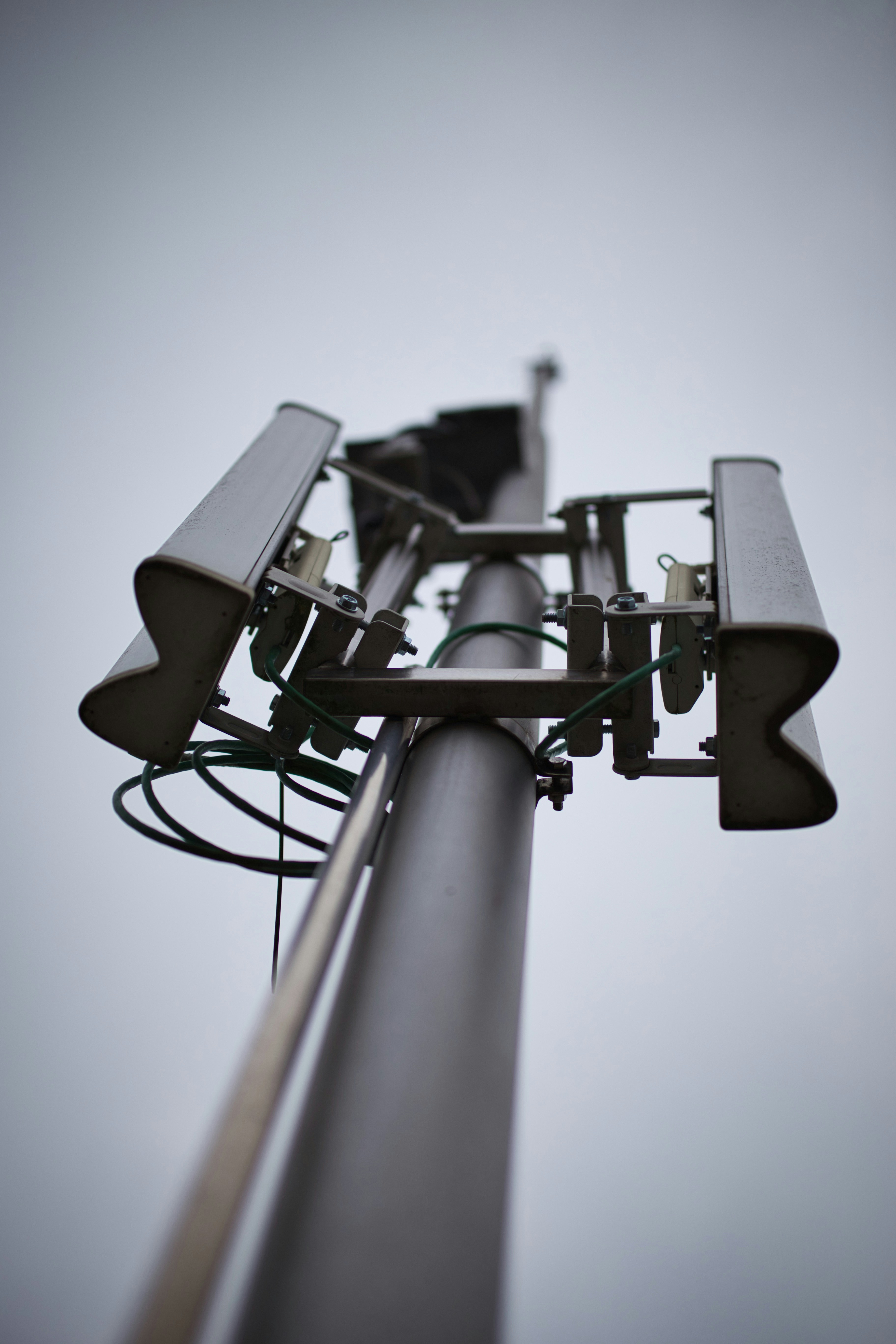
External antennas play a crucial role in boosting mobile network performance, especially in areas where signal strength is weak or inconsistent. Unlike indoor antennas, which may struggle with obstructions like walls and electronic interference, external antennas are positioned outside buildings, capturing a stronger, clearer signal. This enhancement is particularly valuable for SMEs located in remote areas or buildings with thick walls that impede signal penetration. By installing an external antenna, businesses can significantly improve their 4G or 5G connectivity, ensuring faster data speeds and more reliable communication. This upgrade not only enhances daily operations but also supports advanced applications such as cloud services and remote work solutions. For SMEs looking to optimise their network capabilities, considering an external antenna can be a game-changer in maintaining robust connectivity and ensuring seamless business operations.

Indoor vs. Outdoor Signal Solutions

When it comes to enhancing mobile network signals, businesses often face the decision between indoor and outdoor solutions. Indoor solutions, such as boosters and repeaters, are designed to amplify existing signals within a building. While they can be effective in improving connectivity in small spaces, their performance may be limited by structural interferences and the original signal strength. In contrast, outdoor solutions, primarily external antennas, capture stronger signals directly from mobile network towers. These antennas are usually mounted on rooftops or high points, bypassing obstructions that commonly weaken indoor signals. This direct connection often results in superior signal strength and reliability, making outdoor solutions ideal for businesses that require consistent and robust connectivity. When choosing between these options, it’s essential to consider the specific needs and location of your business to ensure optimal network performance and seamless communication.

Maximising Speeds with Mobile Networks

Maximising mobile network speeds is crucial for businesses aiming to leverage digital solutions effectively. To achieve optimal speeds, consider several factors. Firstly, ensure your devices support the latest technologies, like 4G and 5G, which provide significantly faster data transfer rates. Secondly, evaluate your signal strength; weak signals can bottleneck speeds. Installing external antennas can enhance signal reception and thus improve speeds. Additionally, network congestion can affect performance, so assess the number of devices connected and consider prioritising essential devices or applications. Implementing mobile network management solutions can help monitor and optimise data usage. Finally, partnering with a reliable IT service provider can ensure your network infrastructure is up-to-date and tailored to your specific needs. By addressing these aspects, businesses can maximise the potential of their mobile networks, enabling smoother operations and a better customer experience.

Preparing for Future Innovations

Upcoming Mobile Network Solutions

As technology evolves, so do the solutions available for mobile networks, offering businesses new opportunities for growth and efficiency. In the near future, 5G networks will become more prevalent, bringing enhanced capabilities such as ultra-reliable low-latency communication (URLLC) and massive machine-type communication (mMTC). These advancements will enable real-time data processing and better connectivity for IoT devices, transforming industries like logistics, healthcare, and manufacturing. Moreover, network slicing will allow businesses to customise their network experiences, ensuring optimal performance for specific applications. Edge computing is also emerging as a critical component, reducing latency by processing data closer to the source. As these solutions become mainstream, businesses should stay informed and prepared to integrate them into their operations. By doing so, they can maintain a competitive edge, drive innovation, and cater to the ever-changing demands of the digital age.

Future-Proof Strategies for SMEs

To ensure long-term success, SMEs must adopt future-proof strategies that leverage emerging mobile network technologies. First, assess your current infrastructure and upgrade to 4G or 5G-capable devices to capitalise on faster and more reliable networks. Next, consider integrating IoT solutions to streamline operations and enhance data-driven decision-making. Also, regularly evaluate your connectivity needs and explore advanced solutions such as external antennas or network management systems to maintain optimal performance. Furthermore, invest in staff training to keep your team abreast of technological advancements and capable of utilising new tools effectively. Collaborate with IT service providers to design scalable and adaptable network solutions that can evolve alongside technological trends. By implementing these strategies, SMEs can not only keep pace with digital transformation but also position themselves as innovative leaders in their respective markets.

Investing in Reliable IT Services

Investing in reliable IT services is a strategic move for SMEs looking to future-proof their operations. Partnering with a reputable IT service provider ensures access to expert guidance and cutting-edge solutions tailored to your business needs. Such providers can offer comprehensive services, including managed IT support, cybersecurity measures, and custom network solutions, ensuring seamless integration of 4G and 5G technologies. This partnership not only optimises existing infrastructure but also prepares your business for future technological advancements. Regular system updates, proactive network monitoring, and prompt technical support minimise downtime and enhance productivity. Additionally, IT service providers can help implement scalable solutions, enabling your business to adapt to evolving market demands and technological changes. By investing in reliable IT services, SMEs can secure a competitive edge, ensuring they remain agile and responsive in the fast-paced digital landscape.

Conclusion

In conclusion, the integration of 4G and 5G technologies presents a wealth of opportunities for small to medium enterprises (SMEs) to enhance their business processes, improve efficiency, and stay competitive in an increasingly digital world. With advancements that offer faster speeds, improved reliability, and broader coverage, these mobile networks will play a pivotal role in transforming business operations, from seamless communication to real-time data analytics. By leveraging external antennas and innovative network solutions, SMEs can overcome connectivity challenges and ensure robust performance across their operations. As we stand on the cusp of further innovations, adopting a proactive approach towards upgrading infrastructure and investing in reliable IT services will be critical. This strategy not only safeguards current operations but also positions businesses to capitalize on future technological advancements, ensuring sustained growth and success in the dynamic business environment.

As trusted advisors in IT solutions, we are here to guide you through future-proofing your business with these transformative technologies. Call us on 0330 301 0500, email us at sales@msp247.co.uk ot CONTACT US to explore how we can support your connectivity needs.


Virtual Private Servers vs Dedicated Servers

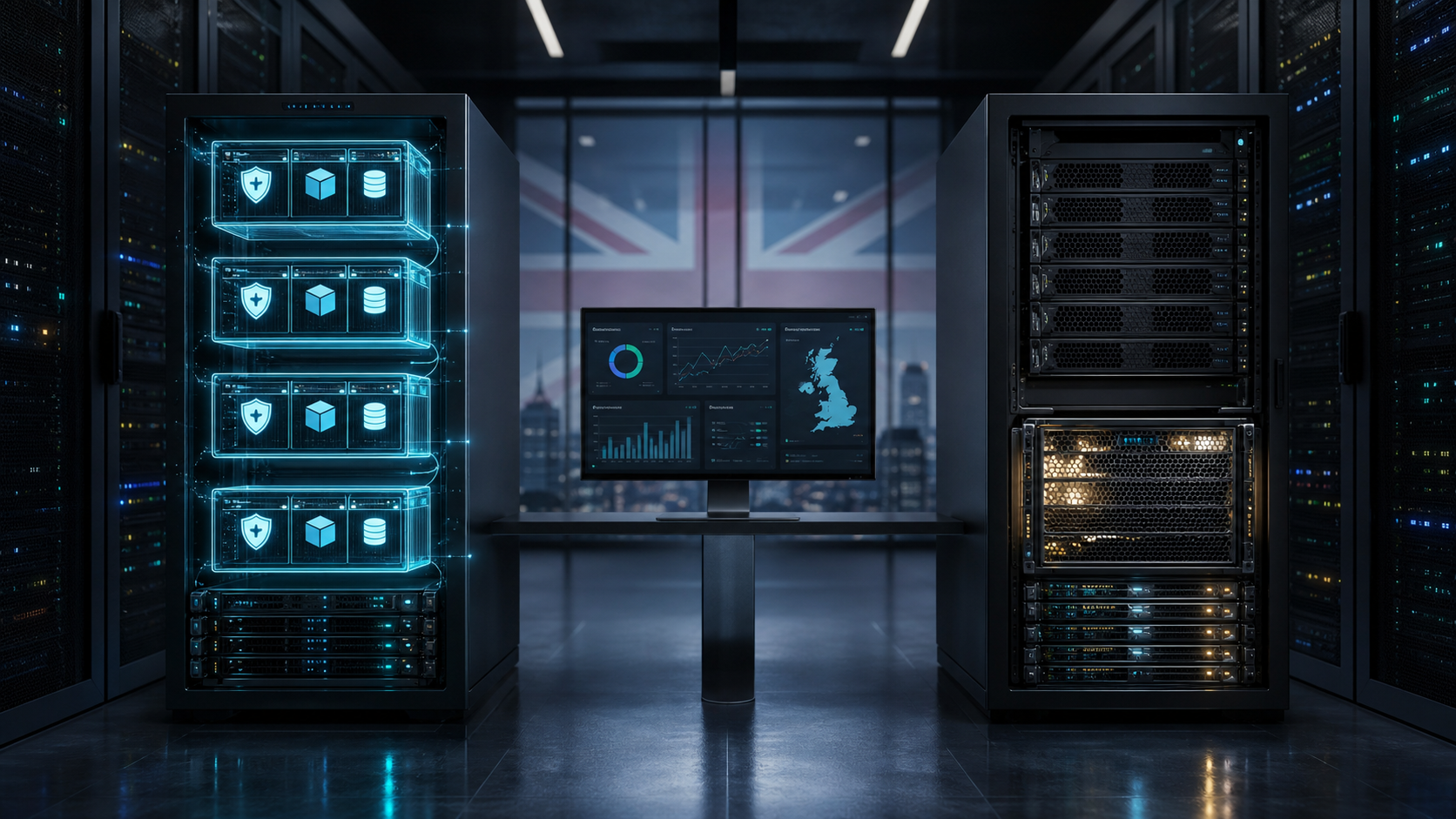
Virtualised workloads and a dedicated physical server compared in a secure data centre

In today’s digital world, a hosting solution is essential for businesses looking to establish or grow their online presence. A hosting solution provides the space and technology needed for a website server, application server, or data on a server to exist on the internet. By renting server space, businesses can store and access data or applications 24/7, ensuring their online assets are available to users around the clock. Hosting solutions vary widely in terms of resources, management, and cost, making it important to choose one that fits your specific needs, so welcome to Virtual Private Servers vs Dedicated Servers: What suits your Business?

Among the options, Virtual Private Servers (VPS) and Dedicated Servers stand out as two reliable choices, each offering different features to meet diverse business requirements. In this article, we’ll cover the ins and outs of these two types of hosting solutions, explore use cases, and help you decide which is best suited for your business.

What is a Virtual Private Server (VPS)?

A Virtual Private Server (VPS) is a hosting solution that creates a virtualized environment on a physical server. VPS hosting uses hypervisor software to split a physical server into multiple independent “virtual servers” with dedicated resources like CPU, RAM, and storage. Each VPS functions as its own server, with unique resources, isolated from other users on the same physical machine.

Pros of a VPS

  • Cost-Effective: VPS solutions tend to be more affordable than dedicated servers.
  • Scalability: You can easily scale resources as your needs grow.
  • Dedicated Resources: Unlike shared hosting, you won’t compete for resources with other users.
  • Managed Options Available: Providers often offer managed VPS options, which come with technical support.

Use Cases for a VPS

  1. E-commerce Sites: Small-to-medium e-commerce sites needing secure transactions and stable performance.
  2. Application Development & Testing: VPS offers a controlled environment for developers to test applications.
  3. Startups & Small Businesses: Businesses needing reliable hosting but with limited budgets can benefit from VPS hosting.

Example: A small retail business looking to expand its e-commerce presence might choose a VPS to handle the increased traffic and secure payment processes without breaking the bank.


What is a Dedicated Server?

A Dedicated Server is a physical server dedicated entirely to one customer. Unlike VPS, which shares a server with other users, a dedicated server provides exclusive access to all its hardware resources. Dedicated servers offer maximum performance, control, and customization but come at a higher price.

Pros of a Dedicated Server

  • Full Resource Allocation: No sharing with other users means 100% access to the server’s resources.
  • Enhanced Security: Ideal for businesses with high-security requirements.
  • Complete Control: Full root or administrative access enables deep customization.
  • Higher Reliability: Dedicated resources lead to higher uptime and reliability.

Use Cases for a Dedicated Server

  1. High-Traffic Websites: Large websites with high visitor counts benefit from the performance of a dedicated server.
  2. Gaming Servers: Dedicated servers provide the processing power required for game hosting.
  3. Data-Intensive Applications: Data-heavy applications like AI or machine learning models require dedicated resources.
  4. Large Enterprises: Enterprises handling vast amounts of sensitive data often rely on dedicated servers for performance and security

Example: An international corporation running mission-critical applications would opt for a dedicated server to ensure it meets strict security standards and has the full computing power needed.


Comparison of VPS and Dedicated Servers

Here’s a side-by-side comparison of Virtual Private Servers and Dedicated Servers to help decide which might be the right fit:

FeatureVirtual Private Server (VPS)Dedicated Server
CostAffordable; suitable for smaller budgetsHigher cost due to exclusive access
Resource AllocationLimited by shared physical resourcesFull access to all server resources
PerformanceStable but can be affected by other virtual servers on the hostConsistent, high-performance
ScalabilityEasily scalable by adding resourcesLimited to hardware specifications
SecurityGood, but potentially less secure than dedicatedHighest level of security due to exclusive control
CustomizationModerate (depends on the hosting provider’s limits)Full control and customization options

How Can Businesses Integrate VPS or Dedicated Servers into Their Networks?

When a business decides to use a Virtual Private Server (VPS) or Dedicated Server, connecting and integrating it with existing infrastructure is crucial. Here are some potential ways to achieve secure, reliable integration:

1. Direct Connection

Directly connecting a VPS or Dedicated Server to a business’s internal network can provide fast, secure access to the server’s resources. This is typically done in one of two ways:

  • Virtual Private Networks (VPNs):
    • What It Is: A Virtual Private Network (VPN) creates a secure, encrypted tunnel between a business’s internal network and the server.
    • How It Works: Using VPN software, users can access the VPS or Dedicated Server as if it were within the business’s private network. VPNs protect data as it travels across public networks, shielding it from potential threats and unauthorized access.
    • Benefits: VPNs are flexible, cost-effective, and offer a reliable way to connect remote servers securely, especially useful for businesses with employees who need secure remote access.
  • Dedicated Links (Direct Connect):
    • What It Is: Dedicated links, such as AWS Direct Connect or Azure ExpressRoute, allow for a private, direct link between a business’s data center and a cloud-based VPS or Dedicated Server.
    • How It Works: These services bypass the public internet, creating a dedicated, high-performance line for data transfer between business locations and the server.
    • Benefits: Dedicated links improve security, reduce latency, and ensure stable connection speeds. They are ideal for enterprises with high security and performance needs, such as real-time data processing or financial transactions.

2. Hybrid Setup

A hybrid setup combines on-premise resources with virtual servers, often creating a “hybrid cloud.” This approach offers the flexibility of cloud hosting while allowing for tight integration with in-house systems.

  • How It Works: Businesses may use a VPS or Dedicated Server for applications with fluctuating workloads while keeping other applications or databases on-premises.
  • Infrastructure Setup: Many companies use VPN gateways or Direct Connect solutions to integrate on-premises and cloud resources securely.
  • Benefits:
    • Scalability: Hybrid setups allow businesses to expand or reduce resources as needed, maintaining cost efficiency
    • Disaster Recovery: Data and applications can be backed up to the VPS or Dedicated Server, ensuring business continuity in case of on-premise failure.
    • Resource Optimization: For example, businesses might run web applications on the VPS while keeping sensitive data in a secure on-premise database.

3. Remote Management

Remote management tools provide secure, convenient access to a VPS or Dedicated Server from anywhere, enabling IT teams to administer and troubleshoot servers without on-site access. Two popular tools for this are Remote Desktop Protocol (RDP) and Secure Shell (SSH).

  • Remote Desktop Protocol (RDP):
    • What It Is: RDP, primarily used for Windows-based servers, provides a graphical interface that allows users to remotely access and manage a server.
    • How It Works: Through RDP, an administrator can control the server as if they were physically present, managing settings, software, and security.
    • Benefits: RDP’s user-friendly interface is useful for administrators who may be less comfortable with command-line tools, making it ideal for graphical application management.
  • Secure Shell (SSH):
    • What It Is: SSH is a command-line interface used to securely access and control Linux-based servers.
    • How It Works: SSH encrypts data and commands, allowing for secure, encrypted communication between the client and the server. It’s a powerful tool for managing server configurations, deploying updates, and performing maintenance.
    • Benefits: SSH provides robust security and is highly customizable, with options to create automated scripts for repetitive tasks, making it ideal for DevOps teams and administrators who prefer a command-line approach.

4. API Integration for Programmatic Access

For businesses needing automated or programmatic access to their VPS or Dedicated Server, API integration allows seamless communication between the server and various applications or systems.

  • What It Is: Many cloud providers offer APIs that allow businesses to control, monitor, and manage their servers programmatically.
  • How It Works: By using API calls, businesses can automate tasks such as provisioning, backups, scaling, and monitoring.
  • Benefits: API integration allows for custom automation and efficient resource management, which is essential for larger IT environments with high demands on server resources.

Deciding Between VPS and Dedicated Servers

Choosing between a Virtual Private Server (VPS) and a Dedicated Server depends on specific business requirements and goals. Here’s a closer look at what each option offers and how to determine the best fit for your organization:

  • Performance Requirements
    • VPS: Virtual Private Servers offer dedicated resources but still share the physical server’s hardware with other users. While VPS hosting can handle moderate traffic, complex applications, and moderate resource loads, it may be affected by other virtual servers on the same physical machine if demands are high.
    • Dedicated Server: A Dedicated Server provides an isolated environment where all resources (CPU, RAM, storage) are dedicated solely to one user, ensuring consistent high performance. This is ideal for high-traffic websites, data-intensive applications, and businesses that require uninterrupted access to resources.
    • Recommendation: Businesses expecting high and stable traffic volumes or needing powerful processing capabilities (e.g., real-time data processing) should consider a Dedicated Server. For smaller or newer businesses with less intensive demands, a VPS can be a budget-friendly way to get started.
  • Scalability Needs
    • VPS: VPS hosting offers excellent scalability, making it easy to add or reduce resources (CPU, RAM, storage) as your business grows. VPS providers typically offer flexible plans to scale up resources on-demand, which is perfect for businesses with fluctuating traffic or seasonal demand.
    • Dedicated Server: While dedicated servers offer top-tier performance, scaling them can be less straightforward. Businesses needing more resources would often need to upgrade to a new server with higher specifications or deploy additional servers, which requires planning and potential downtime.
    • Recommendation: For businesses anticipating rapid or unpredictable growth, a VPS provides the flexibility to adjust resources as needed. However, if performance is more critical than scalability, a Dedicated Server may be better suited to ensure consistent uptime.
  • Budget Constraints
    • VPS: Virtual Private Servers are generally much more affordable than dedicated servers, with options to start at a relatively low monthly cost. For businesses with limited budgets, a VPS provides dedicated resources at a fraction of the price of a dedicated server, making it an attractive entry point.
    • Dedicated Server: Dedicated servers come with a higher price tag due to their exclusive resources and performance guarantees. While they are a larger investment, dedicated servers are cost-effective for businesses that need maximum performance, control, and security.
    • Recommendation: Startups, small-to-medium-sized businesses, or those with budget constraints might find VPS hosting the best option to manage costs while maintaining performance. For established enterprises with larger budgets, a dedicated server’s benefits in performance and control can justify the higher expense.

Here’s a quick way to decide:

  • VPS is ideal if you need cost-effective scalability, a moderate level of control, and strong security without the higher price tag. It’s particularly suitable for small to medium businesses, e-commerce sites, application development, and startups.
  • Dedicated Server is the right choice for businesses with high traffic, stringent security requirements, and complex applications needing maximum performance. Large enterprises, resource-intensive applications, and businesses handling sensitive data can benefit from the control and reliability a dedicated server offers.

In the end, businesses can always start with a VPS and upgrade to a dedicated server as their needs evolve. Careful evaluation of the factors above will help you choose a solution that aligns with both current needs and long-term growth strategies.


Conclusion

Choosing the right hosting solution is essential for optimizing your business’s performance, security, and scalability. Both VPS and Dedicated Servers offer unique advantages. If you’re starting small and growing rapidly, a VPS is a flexible entry point, while a dedicated server is ideal for established organizations with demanding performance requirements.

For all your hosting and IT needs, MSP247 is here to help. We offer expert advice and solutions tailored to your business, from cloud hosting to dedicated servers. Reach out to MSP247 today on 0330 301 0500 or sales@msp247.co.uk with any questions or to discuss the best hosting solution for your business’s unique requirements.

Things you should know about Unifi Protect Cameras.

Modern office and warehouse protected by professionally positioned security cameras

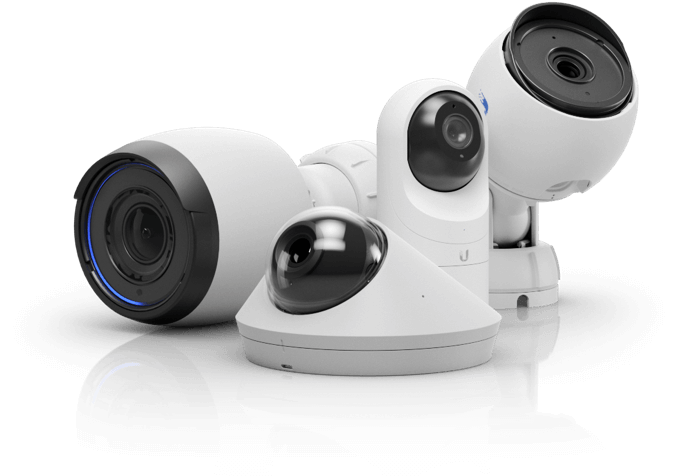
If you’re setting up a surveillance system, especially for a business, property, or home, UniFi Protect cameras are a popular choice due to their scalability, quality, and integration into a single ecosystem. But with multiple camera models available, how do you know which is right for your needs? In this guide, we’ll explore the full UniFi Protect camera range, compare different models within the line up, and discuss how they stack up against some third-party alternatives. We will also go over how Unifi Protect now support ONVIF third-party devices in a recent release.

As UniFi continues to expand its range of cameras, understanding the best options for different use cases is essential. In this blog, we explore the latest UniFi Protect cameras available on the official UK store, comparing features, connectivity options (Wi-Fi vs. Ethernet), and the ideal environments for each model.


UniFi Protect Camera Range Overview

Here’s a look at the most current line up of UniFi cameras, organized by series:

G4 Series:

  • G4 Bullet
  • G4 Instant
  • G4 Dome
  • G4 Pro
  • G4 PTZ
  • G4 Doorbell Pro

G5 Series:

  • G5 Bullet
  • G5 Dome
  • G5 Dome Ultra
  • G5 Flex
  • G5 Pro
  • G5 PTZ

AI Series:

  • AI Pro
  • AI 360
  • AI Theta
  • AI DSLR
Camera SeriesResolutionNight VisionConnectivitySmart FeaturesBest Use cases
G3 Series1080p (Full HD)IR, up to 10mPoEMotion detection, basic alertsEntry-level indoor/outdoor monitoring
G4 Series2K (4MP) / 4K (8MP)IR, up to 25mPoE (some Wi-Fi)AI object detection (person, vehicle), smart alertsAdvanced home/business security
G5 Series2K (4MP) / 4K (8MP)IR, up to 30mPoESmart detection (person, vehicle, package)High-performance surveillance
AI Series2K (AI 360) / 4K (AI Pro) / DSLR-quality (AI DSLR)IR, up to 50mPoEAI-enhanced motion detection, smart event classificationAI-driven analytics and facial recognition
IR = Infrared PoE = Power over Ethernet AI= Artificial intelligence

G3 Series (Entry-Level)

The G3 series is the most budget-friendly, designed for users who want basic surveillance without sacrificing quality. The cameras in this range offer:

  • Resolution: 1080p (Full HD).
  • Night Vision: Infrared (IR) up to 10 meters.
  • Connectivity: PoE (Power-over-Ethernet).
  • Smart Features: Motion detection and basic alerts.
  • Best for: Small businesses, residential properties, and users with basic surveillance needs.

While reliable, the G3 cameras lack advanced AI and object detection, making them less suitable for environments that require intelligent event categorization.

G4 Series (Mid-Range)

The G4 series steps up with improved video quality and smart features:

  • Resolution: Ranges from 4MP (2K) to 8MP (4K).
  • Night Vision: IR up to 25 meters, with options like the G4 Pro featuring high-performance night vision.
  • Connectivity: PoE, with some models (like the G4 Doorbell Pro) supporting Wi-Fi.
  • Smart Features: AI object detection, recognizing people, vehicles, and even packages.
  • Best for: Homes or businesses requiring advanced security monitoring with smart detection, such as monitoring vehicle access or entrances.

Notable Models:

  • G4 Pro: For large areas, thanks to its 4K resolution.
  • G4 Dome: Ideal for indoor environments due to its discreet design.

G5 Series (Next-Gen)

The G5 series is the latest and features several enhancements over the G4 series:

  • Resolution: 4MP (2K) to 8MP (4K), delivering ultra-clear images.
  • Night Vision: Enhanced IR with up to 30 meters of visibility in complete darkness.
  • Connectivity: PoE only, offering stable connections and simplified cabling.
  • Smart Features: Includes smart detection for people, vehicles, and packages, with enhanced AI event detection for fewer false alarms.
  • Best for: Users needing high-performance security for large areas, both indoor and outdoor, such as warehouses or large homes.

Notable Models:

  • G5 Bullet: Compact yet powerful for outdoor areas.
  • G5 PTZ: Perfect for expansive areas, with pan, tilt, and zoom capabilities.

AI Series (Premium, AI-Driven)

The AI series takes UniFi’s smart features to the next level, using advanced AI algorithms:

  • Resolution: From 4K Ultra HD to DSLR-quality video.
  • Night Vision: Superior night vision capabilities, with ranges up to 50 meters
  • .Connectivity: PoE for high-quality, reliable video streaming.
  • Smart Features: AI-enhanced event detection, with the ability to classify and track complex scenarios. The AI series is also designed to handle facial recognition tasks (though this feature is still under development for broader releases).
  • Best for: Large-scale surveillance environments that require advanced analytics, such as public spaces or high-security sites.

Notable Models:

  • AI Pro: Offers 4K video quality and AI-driven object detection.
  • AI 360: Provides a 360-degree field of view, ideal for large areas that need panoramic coverage.

Wi-Fi vs Ethernet: Why It Matters

Currently, most UniFi Protect cameras rely on Ethernet for connectivity, enabling stable connections and the option for Power over Ethernet (PoE), simplifying installation by removing the need for additional power cables. While Wi-Fi cameras provide more flexibility in placement, Ethernet ensures higher reliability, especially in environments with high data transmission or interference risks.


Mobile Access via the UniFi Protect App

One of the standout features of UniFi cameras is the UniFi Protect app. Available on both iOS and Android, this app allows users to manage and view live feeds remotely.

Key benefits include:

  • Real-Time Notifications: Receive alerts when motion is detected or AI events (like package detection) are triggered.
  • Remote Monitoring: View live feeds and playback recordings from anywhere.
  • Multi-Site Management: Ideal for businesses or users with multiple properties, allowing easy management of several sites from one app.

ONVIF Support on UniFi Protect

As of recent updates, UniFi Protect now supports the ONVIF standard, allowing integration with third-party cameras. ONVIF (Open Network Video Interface Forum) is a global standard that ensures interoperability between IP-based security products. This addition broadens the range of compatible cameras, enabling users to connect non-UniFi devices to their UniFi Protect system.

However, while ONVIF cameras can stream video to UniFi Protect, they do not offer the full range of smart features, such as AI-driven motion detection or detailed alerts that UniFi cameras provide. Users will still benefit from basic video streaming and storage, but advanced event categorization (like vehicle or person detection) remains exclusive to UniFi’s native cameras.

This new feature is especially useful for those looking to incorporate legacy cameras into their system or they are slowly migrating to Unifi Camera’s whilst maintaining site security.


How UniFi Protect Compares to Third-Party Cameras

When evaluating third-party cameras like Hikvision and Reolink, UniFi Protect cameras offer several distinct advantages, especially within the UniFi ecosystem. Here are a few points of comparison:

  1. Hikvision vs UniFi G5 Pro

Resolution: Both offer 4K, but Hikvision tends to offer more specific outdoor-focused models.
Connectivity: Hikvision cameras often support both Ethernet and Wi-Fi, while the UniFi G5 Pro is Ethernet-only.
Key Difference: The seamless integration with the UniFi Protect system, alongside simplified central management, gives the G5 Pro an edge for users within the UniFi ecosystem.

  1. Reolink RLC-820A vs UniFi G5 Flex

Resolution: Both cameras offer high-definition video, with the Reolink at 4K and the G5 Flex at 2K HD.
Connectivity: Reolink supports Ethernet and Wi-Fi, making it more versatile for placement.
Key Difference: While Reolink is highly affordable, the G5 Flex wins in simplicity, particularly for users who already have a UniFi setup, which makes deployment and maintenance easier.


Conclusion

The updated UniFi Protect camera range offers a versatile set of cameras, each suited for different environments and use cases. Whether you’re looking for an entry-level camera for small indoor spaces, or a professional-grade outdoor camera with optical zoom, UniFi Protect has you covered.

While third-party options like Hikvision and Reolink may offer specific advantages, the integration and scalability of UniFi Protect make it the top choice for users already in the UniFi ecosystem.

Would you like more help selecting the perfect camera for your setup? Reach out to us today for expert advice!


SOGEA Broadband for Business: What It Is and When to Use It

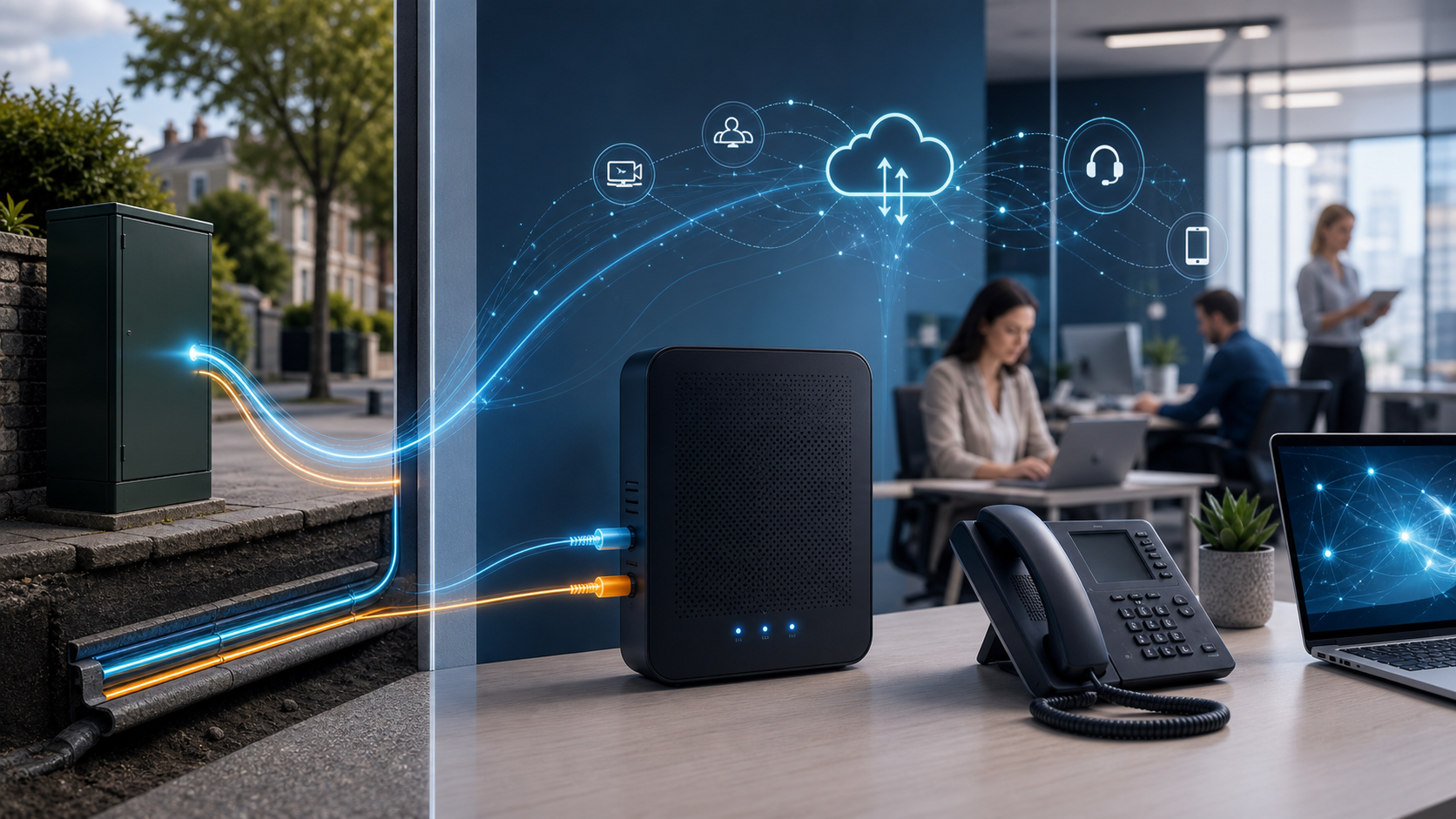
Small business router connected to a data-first SOGEA broadband service

Updated July 2026

SOGEA is a broadband service designed for the UK’s move away from analogue phone lines. It gives a business an internet connection without requiring a traditional telephone service on the same line. That makes it useful for many smaller sites—but it is important to understand what SOGEA is, what it is not, and whether it can support the way your team works.

What does SOGEA mean?

SOGEA stands for Single Order Generic Ethernet Access. In practical terms, you order broadband as a standalone service instead of buying broadband together with an analogue phone line. Voice calls are normally moved to a digital service such as hosted VoIP.

SOGEA uses technology similar to FTTC: fibre runs to the local street cabinet, while the final section to the premises normally uses the existing copper pair. Openreach describes SOGEA as offering download speeds of up to 80 Mbps, subject to line length, condition and availability. It is therefore not the same as full-fibre FTTP, it is not normally symmetrical, and it is not a dedicated leased line.

What speeds can a business expect?

The actual speed depends on the premises and its distance from the cabinet. SOGEA services are generally asymmetric, so uploads are slower than downloads. Before recommending it, a provider should complete an availability check and give realistic estimates for both directions.

That distinction matters. A small office using Microsoft 365, cloud applications, web browsing and VoIP may find SOGEA perfectly adequate. A larger team regularly uploading design files, running cloud backups, hosting servers or relying on high-quality video meetings may need a leased line or FTTP where available.

The main benefits of SOGEA

  • No analogue phone service is required. You pay for the broadband connection without maintaining a traditional voice line you no longer use.
  • A practical migration route. It helps businesses move their calls to VoIP before the analogue network is retired.
  • Broad availability. It can be an option at locations where full fibre has not yet reached the premises.
  • Familiar installation. Many sites can reuse the existing Openreach socket and copper path, although the router and configuration must be suitable.
  • Useful for secondary connectivity. Depending on local availability, SOGEA can form part of a backup design alongside a primary circuit or 4G/5G failover.

Limitations to plan for

SOGEA removes the old phone service, so devices that relied on an analogue dial tone need attention. That can include alarms, lift phones, door-entry systems, payment terminals, fax machines and telemetry equipment. These devices should be audited and either migrated to an IP-compatible service or given a specialist replacement.

Digital phone services also depend on local power and working connectivity. If phones are business-critical, use a suitable UPS for the router, firewall and handsets, and consider a second connection or mobile failover. The right design depends on the impact that an outage would have on your organisation.

SOGEA, FTTP or a leased line?

SOGEA is often the value option for a small site with moderate bandwidth needs and no requirement for an analogue phone line. FTTP takes fibre all the way to the building and can offer much faster download and upload performance. A leased line provides dedicated business connectivity, typically with symmetrical bandwidth, stronger service commitments and better options for organisations where downtime carries a high cost.

The best choice is based on users, applications, upload demand, resilience, budget and availability—not simply the largest advertised download number. MSP247 can assess the site and recommend a right-sized option from our business connectivity services.

A sensible SOGEA migration checklist

  1. Check availability and obtain realistic download and upload estimates.
  2. List every service using the current phone line, including non-voice equipment.
  3. Choose and test a VoIP service before the old line is ceased.
  4. Confirm the router, firewall and Wi-Fi can support the new connection.
  5. Decide whether static IP addresses, VPN access or inbound services are required.
  6. Plan power protection and a backup connection where continuity matters.
  7. Schedule the change with time to test calls, cloud services and remote access.

Is SOGEA right for your business?

SOGEA is a useful, widely available broadband product, but it should not be sold as full fibre or a symmetrical gigabit service. For the right small office it can be cost-effective and dependable; for a bandwidth-heavy or business-critical site, FTTP or a leased line may be the better investment.

Ask MSP247 to review your current connection. We can check availability, identify analogue dependencies and design the broadband, VoIP, network and resilience your business needs.

Technical reference: Openreach All IP FAQs.

The ISDN Switch-Off in the UK: What It Means and How to Prepare

Legacy telephone equipment transitioning to modern cloud VoIP phones and headsets

Updated July 2026: UK businesses using traditional telephone lines now have a firm deadline to plan around. Openreach customers must be migrated away from the legacy Public Switched Telephone Network (PSTN) and ISDN services by 31 January 2027. This is not simply a telephone-system change: many alarms, lift phones, door-entry systems, fax machines, payment terminals and other devices can still depend on an analogue line.

This guide explains what the digital switchover means, what to audit and how to move to modern voice services without creating unnecessary risk for your business.

What is being switched off?

The PSTN is the ageing analogue telephone network that has carried traditional voice services for decades. ISDN added digital voice channels over the same legacy infrastructure and became widely used for business phone systems. These services are being replaced by internet-based, All-IP alternatives.

The current government connectivity timeline states that all users of the Openreach PSTN need to be migrated by 31 January 2027. Individual providers may move customers earlier, so businesses should confirm their own migration timetable rather than waiting for the final deadline.

Read the current UK government telecommunications timeline.

The hidden services your audit must include

Start with every telephone number and line on your bills, but do not stop there. Legacy connections are often hidden inside facilities, security and operational systems.

  • Business telephone systems and individual analogue handsets
  • Lift emergency phones and refuge communication systems
  • Fire, intruder and monitored alarm signalling
  • Door-entry systems, intercoms, gates and barriers
  • Fax machines, franking machines and analogue modems
  • EPOS, card-payment and vending equipment
  • Telemetry, building-management and remote-monitoring devices
  • Redcare-style signalling and other supplier-managed services

Record the number, location, supplier, purpose, contract owner and business impact of losing each service. Ask the equipment manufacturer whether the device is approved for use over an IP connection—an analogue telephone adaptor is not suitable for every system.

Replacement options for business voice

Hosted VoIP

A hosted telephone system moves the call-control platform into the cloud. Users can work with desk phones, desktop software and mobile applications, while features such as call groups, voicemail-to-email, reporting and business-continuity routing are managed centrally. It is often the simplest option for organisations replacing an older PBX.

SIP trunks

SIP trunks carry calls over an IP connection and can allow a compatible on-premises phone system to remain in service. Compatibility, software support, licensing and resilience should all be checked before choosing this route.

Digital voice and specialist replacements

A provider-supplied digital voice service may suit a small number of ordinary handsets. Safety-critical or machine-to-machine equipment may need a purpose-built IP or mobile replacement supplied and tested by the relevant alarm, lift or equipment specialist.

Plan for power cuts and broadband failure

Traditional analogue lines could power a basic handset from the exchange. IP phones, routers, switches and fibre equipment require local electricity. A digital migration therefore needs a resilience plan, not only a new telephone contract.

  • Use an appropriately sized UPS for routers, switches, telephone equipment and fibre termination devices.
  • Consider a second internet connection or managed 4G/5G failover for important sites.
  • Configure call diversion or mobile applications for an office outage.
  • Test emergency calls, alarm signalling and failover under realistic conditions.
  • Document who receives alerts and who is authorised to contact each supplier.

A practical seven-step migration plan

  1. Audit every line and dependent device. Match bills to equipment and locations.
  2. Confirm supplier deadlines. Your provider may migrate services before January 2027.
  3. Separate voice from specialist systems. Involve alarm, lift, payment and facilities suppliers early.
  4. Assess connectivity. Check bandwidth, latency, Wi-Fi, switching, firewall rules and resilience.
  5. Select and configure the replacement. Plan number porting, call flows, licences, handsets and user applications.
  6. Test before ceasing anything. Prove inbound and outbound calls, emergency calling, failover and every connected device.
  7. Train users and document support. Provide quick guides and clear escalation contacts.

How MSP247 can help

MSP247 can audit your current lines, review network readiness, design a resilient replacement and coordinate number porting and user deployment. Our business telephone systems, connectivity and managed IT services can be brought together through one support team.

Do not wait for a cease notice to reveal a forgotten line. Contact MSP247 to arrange a practical PSTN and ISDN migration review.

A practical technology partner

Clear ownership across your whole IT environment

MSP247 brings day-to-day support, security, connectivity and planning together so your team has one accountable route for help.

Whole-environment support

Windows, Mac, iPhone, iPad, Chromebook, servers, networks and cloud services supported as one working environment.

Yorkshire coverage

Responsive remote support with planned on-site assistance across York, Leeds and the wider Yorkshire region.

A clearly agreed scope

Responsibilities, priorities, escalation routes and available response arrangements are explained before service begins.

Security and continuity

Accounts, devices, backups and connectivity resilience are reviewed together instead of as isolated products.

This site uses analytics.